
Security questionnaire answer library: stop rebuilding the same answers from scratch
You finish one security questionnaire. Three weeks later another one lands. Half the questions look familiar. Nobody can find last time’s sheet, or they find three sheets and the answers disagree.
That is what a security questionnaire answer library is for: one shared place for approved answers you can reuse, with enough evidence and ownership that the next person is not guessing from Slack archaeology.
A security questionnaire answer library is not a folder of old buyer workbooks. It is a small set of canonical answers, each tied to current evidence, an owner, and a last-verified date, so the next review starts from known ground instead of tribal memory.
If you still need the full response loop (intake through save), use how to answer a security questionnaire. This piece is about the asset that loop keeps feeding.
What is a security questionnaire answer library?
Think living cheat sheet, not archive dump.
Access control. Encryption. Retention. Subprocessors. Incident response. Business continuity. Buyers rephrase those topics constantly across homemade Excel files, Shared Assessments SIG questionnaires, and CSA CAIQ sheets. Your posture does not rewrite itself every week. Your answers should not either, unless the evidence changed.
For every row that earns a place in the library, you should be able to answer:
- What do we say?
- What proves it?
- Who owns keeping that true?
Miss any of those three and you mostly have a document graveyard.
Why a folder of old questionnaires is not a library
Old completed sheets are useful raw material. They are a bad system of record.
The answer is trapped in one buyer’s column layout. There is often no owner. There is almost never a “last checked” date. When two old sheets disagree, someone under deadline picks the friendlier wording.
That is how commitment risk sneaks in. Commitment risk arises when an answer promises a timeline, scope, service level, or operational practice the company may later be expected to honor. Copying last year’s confident “yes” is one of the faster ways to create it.
What fields belong in the library?
Start in a spreadsheet. Fancy software is optional. A few columns do most of the work.
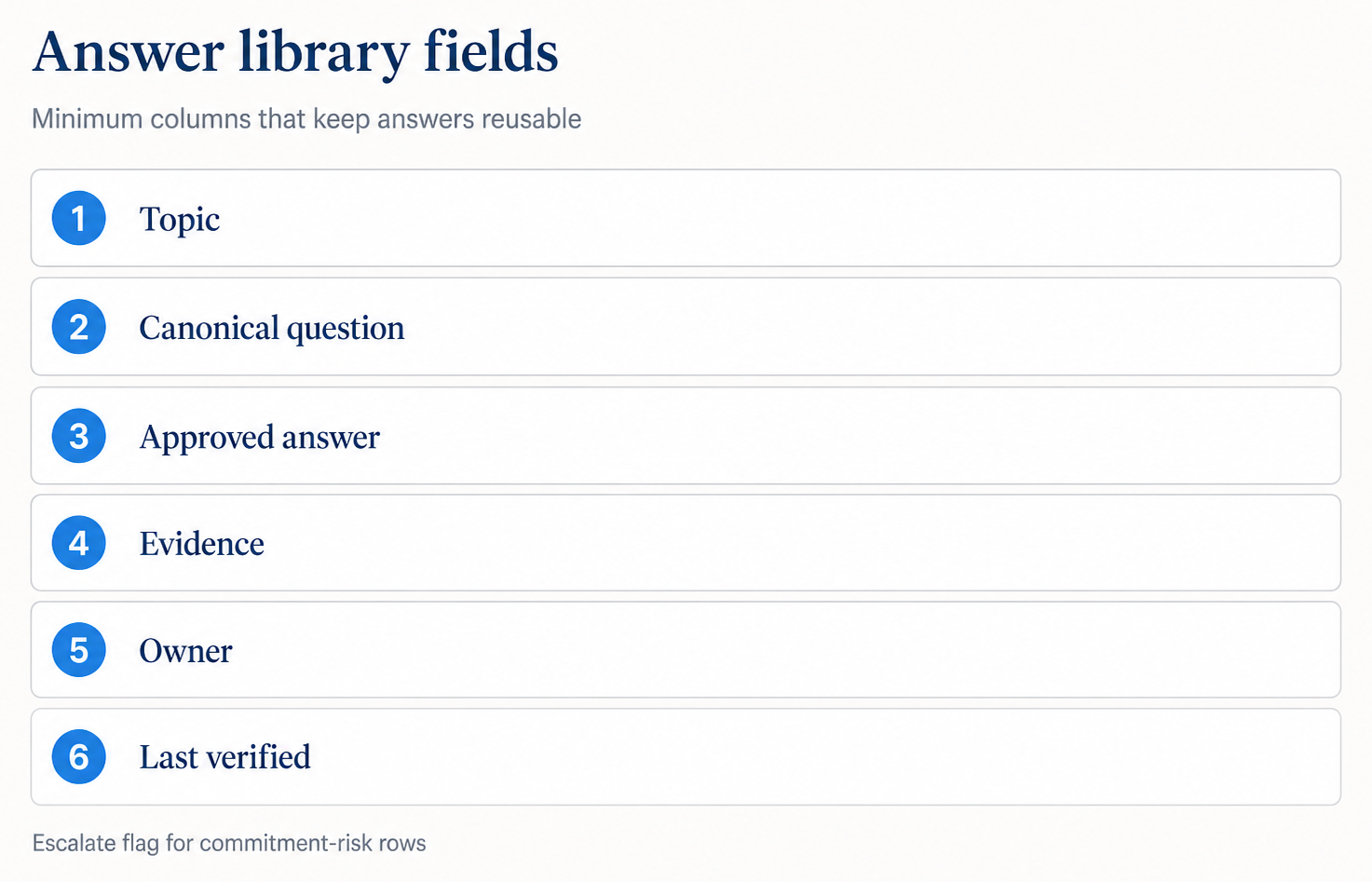
| Field | What it holds | Why it matters |
|---|---|---|
| Topic / domain | Access, encryption, IR, privacy, and so on | Makes search and handoffs sane |
| Canonical question | Your internal wording of the recurring ask | Maps many buyer phrasings to one row |
| Approved answer | The text you are allowed to reuse | Lead with Yes / No / Partial / N/A when the ask is binary |
| Evidence | Policy section, report control, architecture note | Makes the claim defensible |
| Owner | Named person or role | Stops “someone should update this” |
| Last verified | Date | Forces freshness conversations |
| Escalate? | Yes / no (or a short risk note) | Flags commitment-risk rows for human review |
Later extras, if volume grows: product or region scope, link to the source file, a short “do not say” note for wording that burned you once.
You do not need fifty columns on day one. You need answers that survive the next spreadsheet.
How do you build one without a platform?
Manual and a little boring. That is fine.
1. Pull the last two or three completed questionnaires. Prefer ones a human signed off. Skip the mystery file in Downloads.
2. Extract recurring questions. MFA. Logging retention. Subprocessor list. Backup testing. Access reviews. Incident notification. Same themes, different wording.
3. Write one canonical answer per theme. Keep it short. For yes-or-no asks, lead with Yes, No, Partial, or Not applicable, then scope, then evidence. Same judgment as evidence before eloquence.
4. Attach evidence while you still remember it. Policy name and section. SOC 2 coverage if you share the report under NDA. Architecture note when the answer is product-specific.
5. Name an owner and a last-verified date. No owner means the row will rot.
6. Mark escalate rows. Fixed SLAs. “All data.” Absolute timelines. Anything that could get pasted into an MSA. Those need a second pair of eyes every time, even when the library text looks polished.
7. After each new questionnaire, put new approved answers back. Skip this and you rebuild the same sheet next quarter.
A shared Drive sheet or Notion table is enough for modest review volume. The discipline matters more than the tool.
How do you keep the library from going stale?
Freshness is the quiet failure mode.
Pick a rule you will actually follow. If last verified is older than your comfort window, treat the row as draft before anyone reuses it. Many teams use about a year, or sooner when a policy or SOC 2 report turns over. When the audit period changes, when you add a region, when subprocessors change, touch the dependent rows that week. Do not wait for the next buyer deadline to notice the drift.
Internally, uncertainty can stay visible. Externally, the submitted answer should reflect the verified current state. If the team cannot verify a row yet, leave it open on your side. Do not ship “we still need to check” in the buyer’s file.
A labeled hypothetical: reuse gone wrong
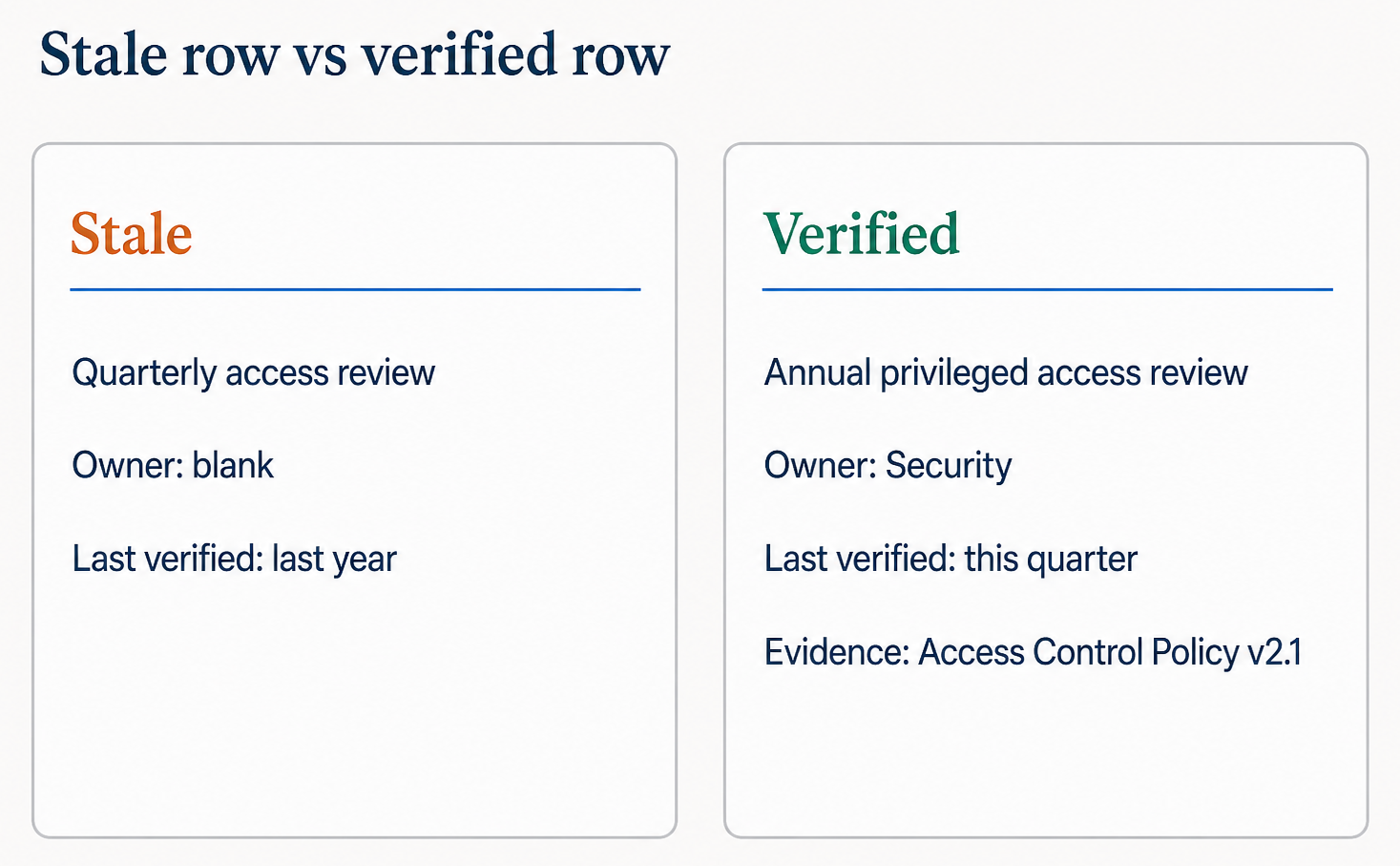
Hypothetical library row (stale)
Canonical question: “Do you review production access at least quarterly?”
Approved answer on file: “Yes. We review production access quarterly.”
Last verified: last year. Owner field blank.
Where that breaks in this labeled hypothetical:
- Current policy: Access Control Policy v2.1 says privileged production access is reviewed at least annually.
- Practice: The team moved to annual reviews after headcount changes. Nobody updated the library row.
- Buyer sheet: Asks whether reviews happen at least quarterly. Someone pastes the old library “yes” because it looks confident.
Safer library row after verification
“No. Privileged production access is reviewed at least annually, per Access Control Policy v2.1, §3.4. Our current cadence is annual, not quarterly.”
Same topic. Different commitment. The library only helps if the row is current and owned.
How the library fits the response process
The library does not replace intake, triage, or human review. It feeds them.
During triage, reusable rows come from the library. New or escalate rows go to owners. During draft, you adapt wording to the buyer’s phrasing without inventing a new posture. After you return their file, you save what you learned. That is step 7 in the how-to guide, and it is the difference between a one-off scramble and an operating habit.
SIG, CAIQ, and custom sheets can all pull from the same domain rows. The wrapper changes. The governed answers should not.
Where software helps later
A spreadsheet library is a real start. When review volume climbs, software can make the same asset easier to search, harder to reuse when stale, and closer to the buyer’s file when it is time to export completed answers.
Judgment still owns whether an answer is true, scoped, and safe to send.
Sorila is being built around that workflow: evidence-backed answers, visible risk, human approval, and return into the buyer’s original format. See how Sorila is applying it as the product takes shape.
If you want early access, join the design partner program.